
Overview
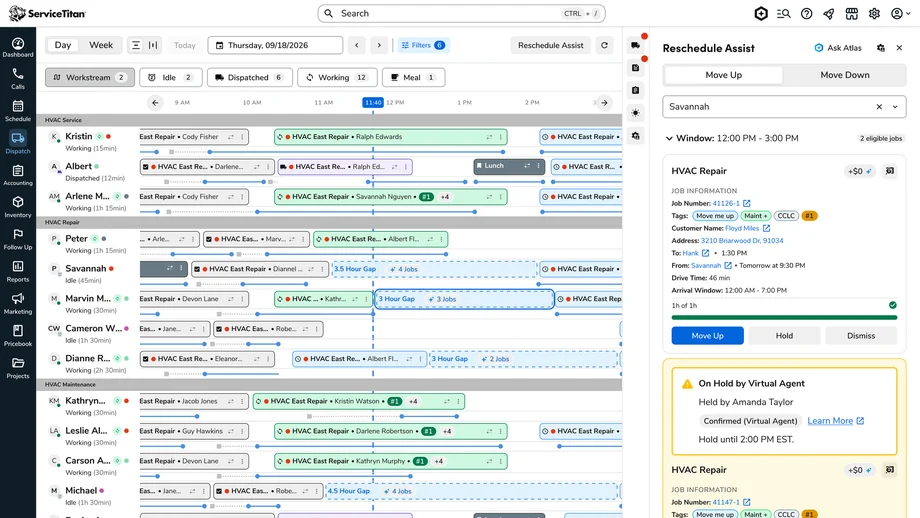
Rescheduling Assistant (internally Reschedule Assist / Move Down) is the counterpart to Move Up Assist in ServiceTitan’s Dispatch Pro. While Move Up fills gaps by pulling jobs earlier, this feature helps dispatchers push today’s jobs to a later day when capacity opens up.
Dispatchers were spending too much time manually scanning future days. The goal was a focused, ranked set of suggestions so they could rebalance the board faster while keeping the final decision in human hands.
The Problem
Dispatchers constantly deal with overloaded current-day schedules and open capacity later in the week. Finding the right job to move was slow, inconsistent, and high-effort.
- Manual scanning across multiple days
- Judging which jobs were flexible enough to move
- Contacting customers one by one
- Risk of creating new problems (unassigned jobs, missed windows, conflicts with Dispatch Pro)
Goals
Primary: Free current-day capacity by moving lower-priority jobs later, reduce board-scanning time, and improve utilization across days.
Secondary: Keep customers informed, build a foundation for smarter suggestions, and give supervisors visibility into usage.
Research & Discovery
Conversations and board observations revealed:
- Dispatchers already knew which jobs they wanted to move; they needed help finding them quickly and confirming capacity.
- They were protective of the current day — anything that felt like it took control away would be ignored.
- Customer communication was the biggest friction.
- Too many options were worse than too few.
These insights led us to make the feature dispatcher-initiated rather than a constant stream of alerts.
Design Process
Early explorations included a more proactive version. Dispatchers pushed back on the noise, so we shifted to a deliberate workflow they open when needed.
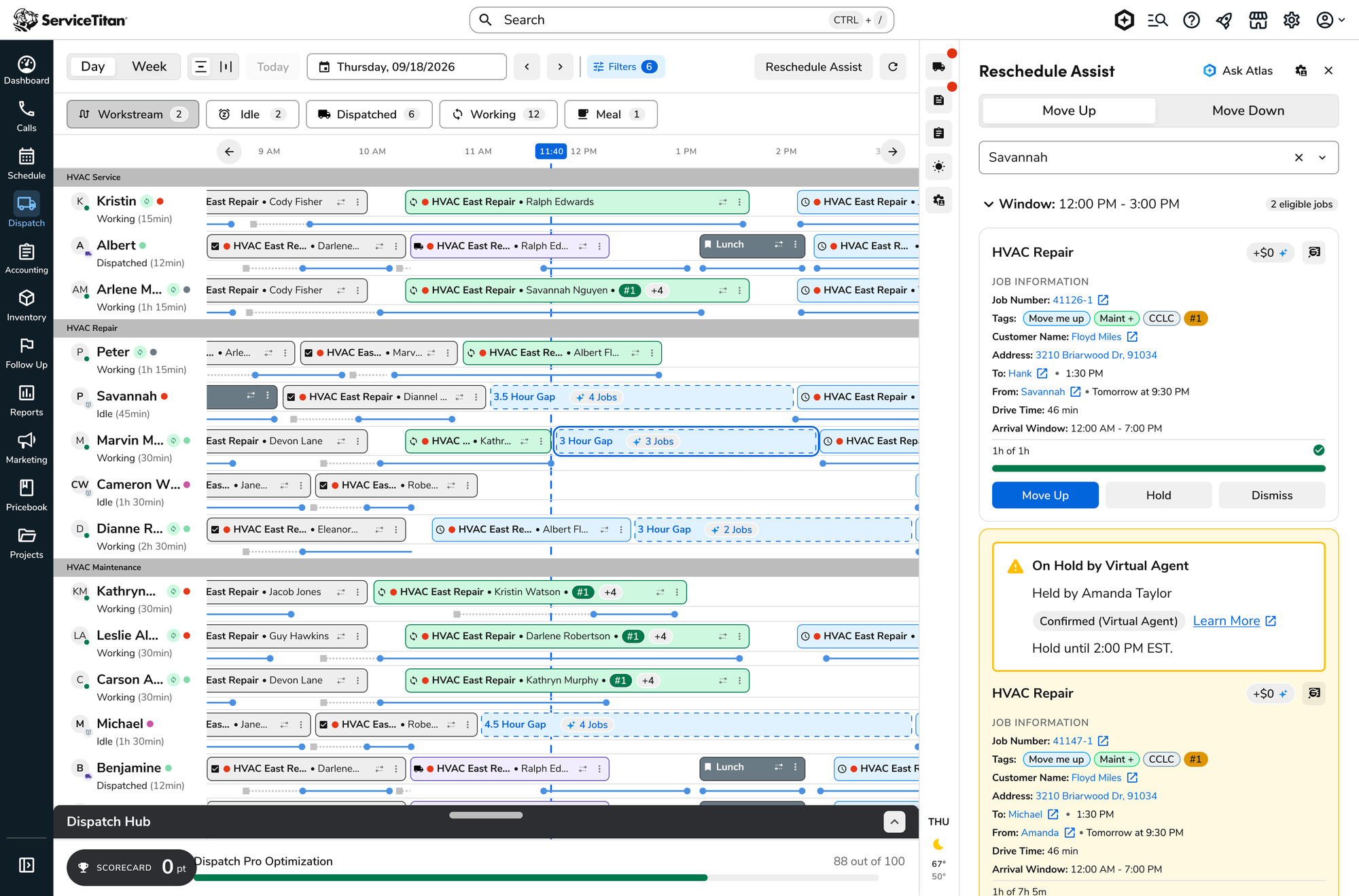
- Filters in the panel header so they can scope by business unit, zone, job type, cancellation risk, and JVP without leaving the flow.
- Short ranked list (max 5 cards) instead of grouping by technician.
- Clear before/after on every card, with warnings when the arrival window changes.
- Hold + Growth AI so they can trigger virtual agent outreach instead of calling manually.
- Dismiss with reasons and optional “Do Not Reschedule” tag.
- Guardrails — actions disabled when Auto Run is off, with inline explanation.
The Solution
Rescheduling Assistant lives as a tab inside the existing Move Up flyout and opens from a button on the Dispatch Board.
Flow:
- Dispatcher opens Reschedule Assist and applies filters.
- System returns up to five ranked suggestion cards based on Adaptive Capacity and job attributes.
- Each card shows job details, customer, current vs. proposed window, risk, JVP, and tags.
- Actions: Move Down, Hold (manual or with Growth AI), or Dismiss with reason.
- Confirmation dialog shows schedule impact before the change is final.
Outcomes & Impact
In pilot testing, dispatchers said the short, filtered list felt more useful than scanning the board themselves. Growth AI handling customer confirmation was the biggest time saver.
- Filters made it easy to focus on jobs they already knew were movable
- Five-card limit kept the panel scannable
- Arrival-window warnings helped avoid surprising customers
Supervisors gained a simple view of accepted, dismissed, and expired suggestions plus an acceptance rate.
Reflections
The biggest learning was how important control and restraint are for operational users. Dispatchers already juggle constant interruptions; a tool that surfaces too much or acts without their say-so gets ignored. Making the feature intentionally initiated, limiting suggestions, and keeping every change confirmed by a person made adoption more likely.
V1 constraints (no full Dispatch Pro optimization integration, human confirmation required) forced clearer prioritization and surfaced useful edge cases early.